Square vs Stripe vs PayPal: Which Payment Processor Is Right for Your Salon or Service Business?
Timeli.sh team|June 1, 2026|14 min read|No comments
If you run a salon, spa, tattoo studio, barbershop, or any other in-person service business, taking payments is something you do dozens of times a week. It should be the easiest part of your day.
The question is not whether to accept card payments. At this point, that is a given. The question is which payment processor to use, because the choice affects what you pay in fees, what hardware you need at your front desk, how deposits work when clients book online, and what happens when someone cancels.
The three names that come up most often are Square, Stripe, and PayPal. This guide breaks down exactly how each one works for businesses like yours, what it costs, and which one makes the most sense depending on how you operate.
Why Deposits Matter for In-Person Service Businesses
Before comparing the processors, it is worth talking about the payment model that works best for salons and similar businesses: the deposit.
Rather than asking clients to pay the full service price upfront when they book, a deposit model collects a portion at the time of booking (typically 25% to 50%) and the remainder at the appointment itself. This approach does three important things:
It dramatically reduces no-shows. When a client has money on the line, they show up, or they give you notice so you can fill the slot.
It protects you without alienating clients. Asking for a full prepayment can feel aggressive. A reasonable deposit signals professionalism while leaving the client feeling like they are not handing over their wallet before you have even met.
It keeps your cash flow moving. Deposits start landing in your account from the moment bookings open, rather than at the end of each appointment day.
Timeli.sh is built around this model. You set your deposit amount or percentage, clients pay it when they book online, and the remainder is collected in person at the appointment. Your payment processor handles both transactions.
How Fees Work Across Two Payments
This is something a lot of booking platforms gloss over, so we want to be upfront about it.
When a client pays a deposit online and then pays the remainder in person at the appointment, those are two separate transactions. Each one is charged a processing fee by your payment processor.
The deposit, collected online, is charged at the online rate. The balance, collected in person using a card reader or tap-to-pay, is charged at the in-person rate, which is typically lower.
For example, if a service costs $100 and you collect a $50 deposit online:
The $50 online deposit is charged at the online rate (e.g., 2.9% + $0.30, so about $1.75 in fees)
The $50 in-person balance is charged at the in-person rate (e.g., 2.6% + $0.10, so about $1.40 in fees)
Total processing cost for that appointment: roughly $3.15
This is standard across all processors. It is not something Timeli.sh controls. But it is something you should factor into your pricing, which is why we show you both the gross amount (what the client paid) and the net amount (what lands in your account after fees) for every single transaction. No digging through your payment processor dashboard to figure out what you actually made.
Timeli.sh Never Adds Fees on Top of Your Processor
We want to be direct about this because it is not always obvious with booking platforms.
Payment processors like Stripe, Square, and PayPal give platforms the technical ability to add their own fee on top of the standard processing fee. Some booking platforms use this to generate extra revenue without advertising it clearly.
Timeli.sh does not do this. The fee your payment processor charges is the only fee taken from your payment. Every cent above that goes to you. We believe you should know exactly what you are paying and why, which is why we surface gross and net amounts on every transaction in your dashboard.
Square
Who It Is For
Square was built for businesses that operate in person, and it remains the strongest choice for salons, spas, and similar service businesses. Its hardware is reliable, its POS software is intuitive, and the entire system is designed to handle the rhythm of a busy appointment-based business.
Fees
Online transactions (deposits): 2.9% + $0.30 per transaction
In-person transactions (balance at appointment): 2.6% + $0.10 per transaction
Manually keyed card: 3.5% + $0.15 per transaction
Monthly fee: None for the basic plan
In-Person Hardware
Square has the most extensive hardware lineup of the three, which matters if you want a proper front-desk setup.
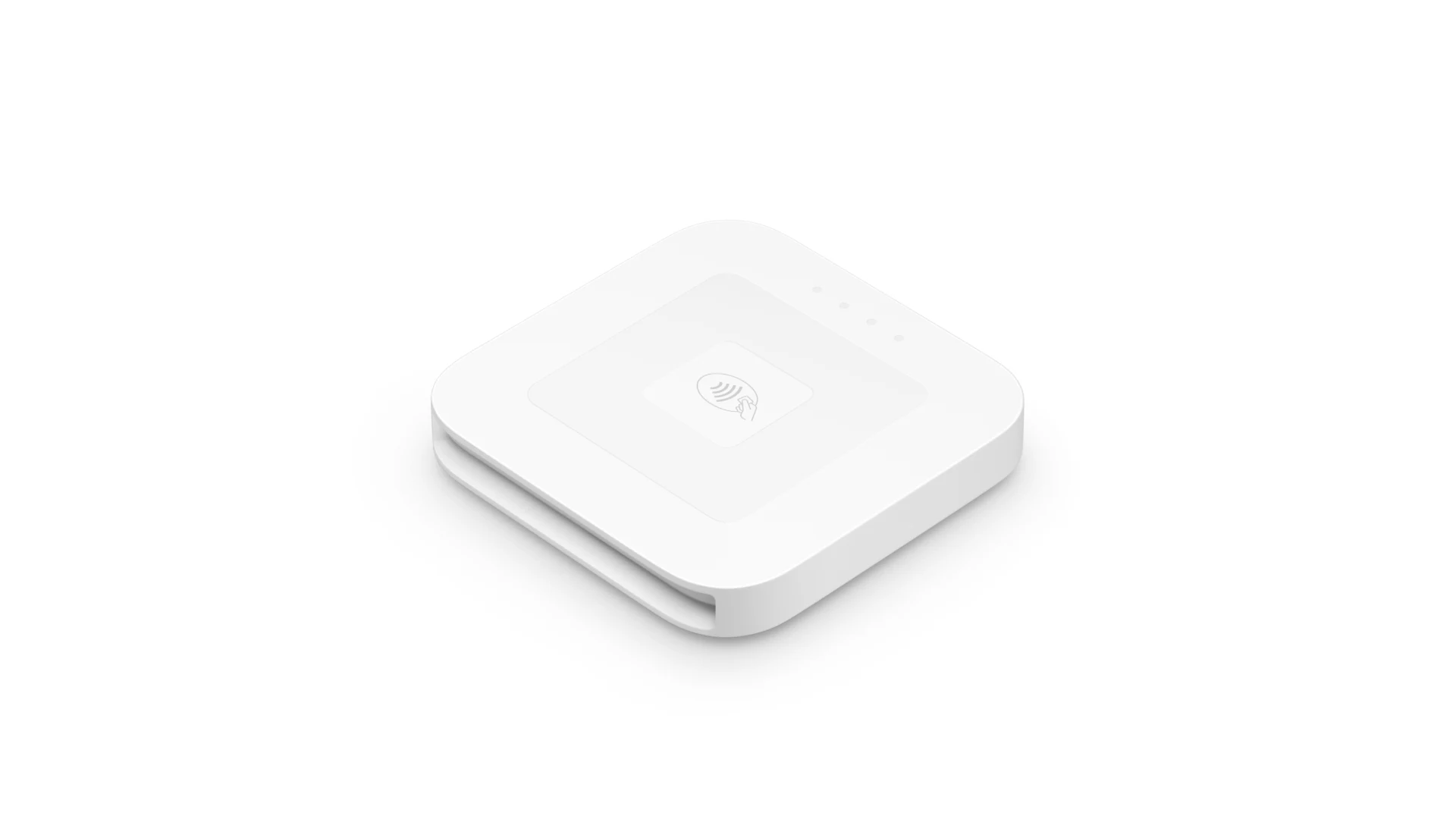
Square Reader — a compact card reader that pairs wirelessly with your phone or tablet. Accepts chip cards, tap-to-pay, Apple Pay, and Google Pay. Very low cost to start.
Square Terminal — a standalone all-in-one device with a built-in screen and receipt printer. No phone or tablet required. Around $299. Great for a dedicated checkout counter.
Square Register — a full countertop setup with two screens (one facing you, one facing the client) for higher-volume locations. Starts around $799.
Square Stand — mounts an iPad and turns it into a complete POS terminal. Around $149.
Tap to Pay — Square also supports accepting contactless payments directly through an iPhone or Android phone, with no card reader needed at all.
Payment Options for Clients
Square supports Apple Pay, Google Pay, chip cards, and contactless cards. Clients can also save a card on file for faster checkout on future visits.
Best For
Square is the top recommendation for most salons and in-person service businesses on Timeli.sh. The deposit is collected online when clients book, and the in-person balance is collected through Square's hardware at the appointment. The whole workflow is seamless and the hardware is genuinely the easiest to set up and use.
Stripe
Who It Is For
Stripe powers a significant portion of online commerce globally and is known for delivering a polished, professional checkout experience. For service businesses that do a high volume of online bookings and want the deposit payment to feel smooth and native rather than like a detour to a third-party page, Stripe is excellent.
Fees
Online transactions (deposits): 2.9% + $0.30 per transaction
In-person transactions (balance at appointment): 2.7% + $0.05 per transaction (requires Stripe Terminal hardware)
Manually keyed card: 3.4% + $0.30 per transaction
Monthly fee: None for the standard plan
In-Person Hardware
Stripe's hardware options are more limited than Square's, but they cover the essentials.
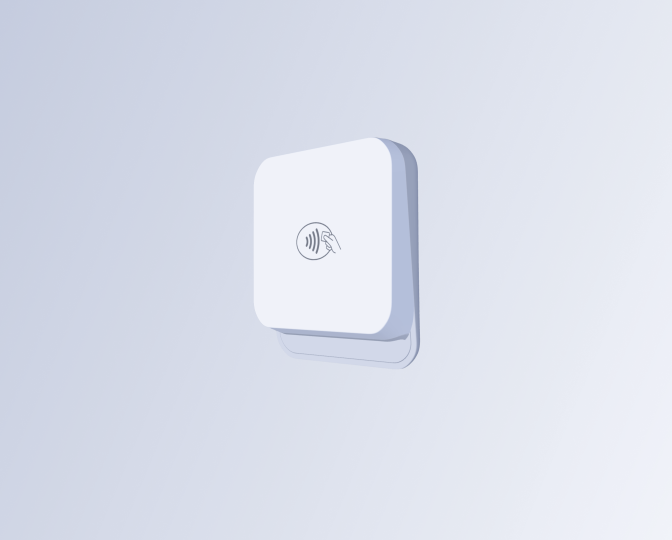
Stripe Reader M2 — a small Bluetooth card reader that pairs with your phone. Accepts chip cards, tap-to-pay, Apple Pay, and Google Pay. Around $59. Currently, US only.
Stripe Reader S700 — a countertop smart reader with a touchscreen, suitable for a permanent front desk. Can be customized with your branding.
Tap to Pay — Stripe supports tap-to-pay directly on compatible iPhones and Android phones through the Stripe Terminal app, with no hardware needed.
Payment Options for Clients
Stripe supports Apple Pay, Google Pay, and standard credit and debit cards. Apple Pay and Google Pay are enabled automatically for clients whose devices support them when they book through Timeli.sh. No extra configuration required on your end.
Best For
Stripe is a strong choice if you prioritize a clean online deposit experience and your clients tend to book through your website or booking page rather than calling in. The in-person hardware works well for collecting balances at the appointment, though Square offers more hardware variety for front-desk setups.
PayPal
Who It Is For
PayPal is the most recognized payment brand in the world. Many of your clients already have a PayPal account and feel comfortable paying through it. For businesses that serve a broad customer base or work with clients who are less comfortable entering card details online, PayPal's familiarity can meaningfully reduce drop-off at the booking step.
PayPal's in-person hardware, previously called Zettle, is now branded as PayPal POS.
Fees
Online transactions (deposits): 3.49% + $0.49 per transaction
In-person transactions (balance at appointment): 2.29% + $0.09 per transaction
Monthly fee: None for the basic plan
PayPal's online transaction fees are noticeably higher than Stripe and Square. On a $50 online deposit, PayPal costs roughly $2.24 in fees compared to around $1.75 for Stripe or Square. That difference grows with your volume, so it is worth factoring into your decision if most of your payment activity is online deposits.
In-Person Hardware
PayPal Card Reader — a portable Bluetooth card reader. Starts at $29 for new users (normally $79). Accepts chip cards, tap-to-pay, Apple Pay, Google Pay, Samsung Pay, and payments from a client's PayPal balance or Venmo account.
PayPal Terminal — an all-in-one touchscreen POS device for a more permanent front-desk setup. Starts around $199.
Tap to Pay — PayPal POS supports tap-to-pay on compatible iPhones and Android phones through their app, with no card reader needed.

Payment Options for Clients
PayPal supports Apple Pay, Google Pay, Samsung Pay, and the ability for clients to pay directly from their PayPal balance or Venmo account. That last point is a genuine differentiator. For many clients, paying with their PayPal balance is faster and more comfortable than entering a card number on a booking page.
Best For
PayPal is a solid choice if your clients tend to prefer it, if you are just starting out and want a low-cost entry point, or if PayPal's brand recognition helps reduce hesitation at checkout. The higher online fee is the main trade-off to weigh.
Side-by-Side Comparison
Square | Stripe | PayPal | |
|---|---|---|---|
Online fee (deposits) | 2.9% + $0.30 | 2.9% + $0.30 | 3.49% + $0.49 |
In-person fee (balance) | 2.6% + $0.10 | 2.7% + $0.05 | 2.29% + $0.09 |
Monthly fee | None | None | None |
Entry-level reader | Very low | $59 | $29 |
Apple Pay | Yes | Yes | Yes |
Google Pay | Yes | Yes | Yes |
Samsung Pay | No | No | Yes |
Pay with PayPal / Venmo | No | No | Yes |
Tap to Pay (no hardware) | Yes | Yes | Yes |
Hardware variety | Excellent | Good | Good |
Best for | In-person service businesses | High-volume online bookings | PayPal-preferring clients |
Tips: An Important Part of the Picture for Salons
For salons, spas, and similar businesses, tips are not an afterthought. They are a meaningful part of your staff's income, and how you handle them affects both the client experience and your team's earnings.
Timeli.sh supports tips through your connected payment processor. Clients can add a tip at checkout, either as a percentage or a custom amount, and the tip is processed as part of the same transaction rather than as a separate payment. This keeps things clean on both sides.
From a fee perspective, tips are processed at the same rate as the rest of the transaction. If a client pays a $60 balance in person and adds a $10 tip, the processor charges its in-person rate on the full $70. This is standard across all processors and is worth knowing when thinking about how tips affect your net revenue.
What Happens When a Client Cancels or Reschedules
Cancellations and reschedules happen. How your platform handles refunds matters a lot for your reputation with clients and your own peace of mind.
Timeli.sh gives you two options when a client cancels an appointment that had a deposit.
Automatic refunds. You can configure your cancellation policy to automatically refund the deposit in full or in a set percentage when a client cancels within your allowed window. The refund goes back to the card or payment method the client used, and everyone moves on without any action needed from you.
Manual refunds. For situations that need a judgment call, you can issue a manual refund from your Timeli.sh dashboard. You choose the amount: a partial refund (for example, keeping a portion of the deposit as a cancellation fee), or the full deposit amount. This gives you the flexibility to handle edge cases the way that makes sense for your business and your client relationship.
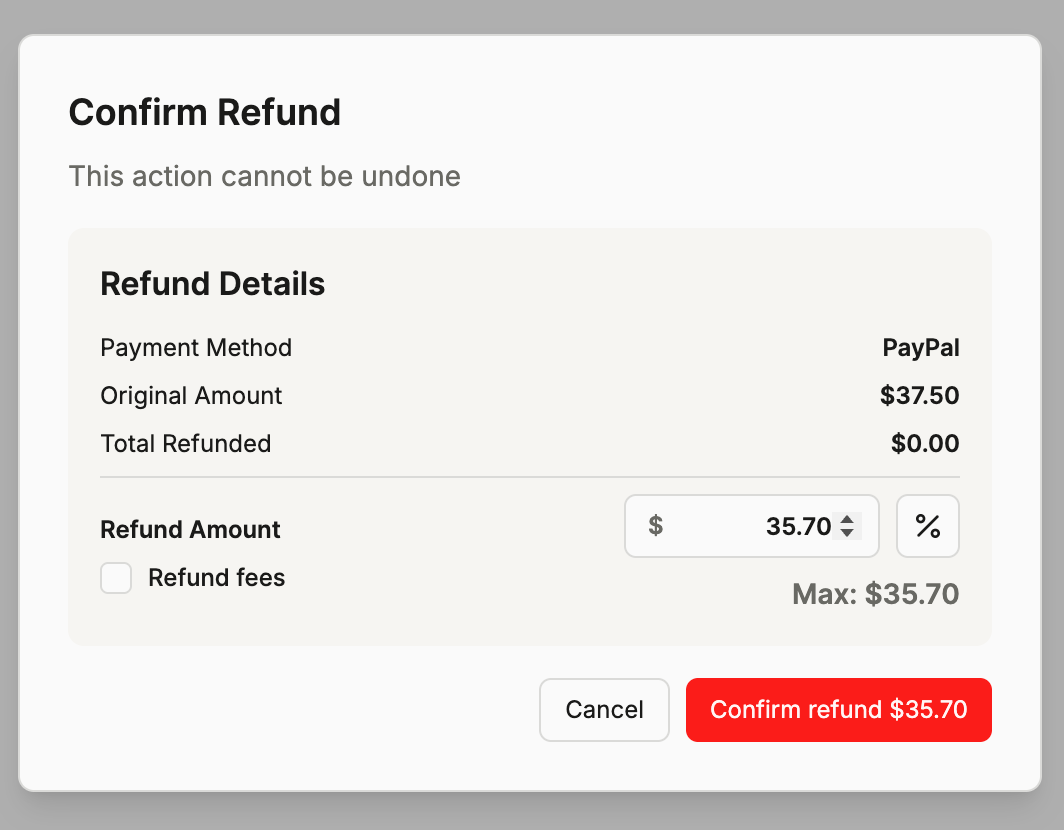
We also support collecting additional fees during cancellation or rescheduling. Collected 50% deposit, but you require the appointment to be paid in full? You can set a policy to collect the remaining amount.
One thing to note: payment processors do not refund the original processing fee when you issue a refund. If you collected a $50 deposit and then refunded it in full, the roughly $1.75 in processing fees you paid when the deposit was collected are not returned. This is standard across Square, Stripe, and PayPal. It is not unique to Timeli.sh, but it is worth knowing, so it does not come as a surprise. But what sets us apart is that we support withholding the fees from your refund automatically. Need to refund payment but don't want to include fees? Timeli.sh can do that too!
A Note on Other Fees
Beyond deposit fees, here are a few things worth knowing.
Apple Pay and Google Pay cost the same as a regular card. No extra fee to accept payments from digital wallets. Tapping a phone costs the same as inserting a chip card.
In-person rates are lower than online rates. This reflects the lower fraud risk of face-to-face transactions. Collecting the deposit online and the balance in person means you pay different rates for each, which is why we show both in your transaction history.
Manually entering a card number costs more. All three processors charge a higher rate if you key in a card number manually rather than the client tapping or inserting their card. Use a reader whenever possible.
How to Connect Your Payment Processor to Timeli.sh
Timeli.sh connects to one payment processor at a time. You pick the one that fits your business, connect it, and all of your bookings and in-person payments run through that account. If you ever want to switch to a different processor, you can do that from your settings at any time without losing your booking history or client data.
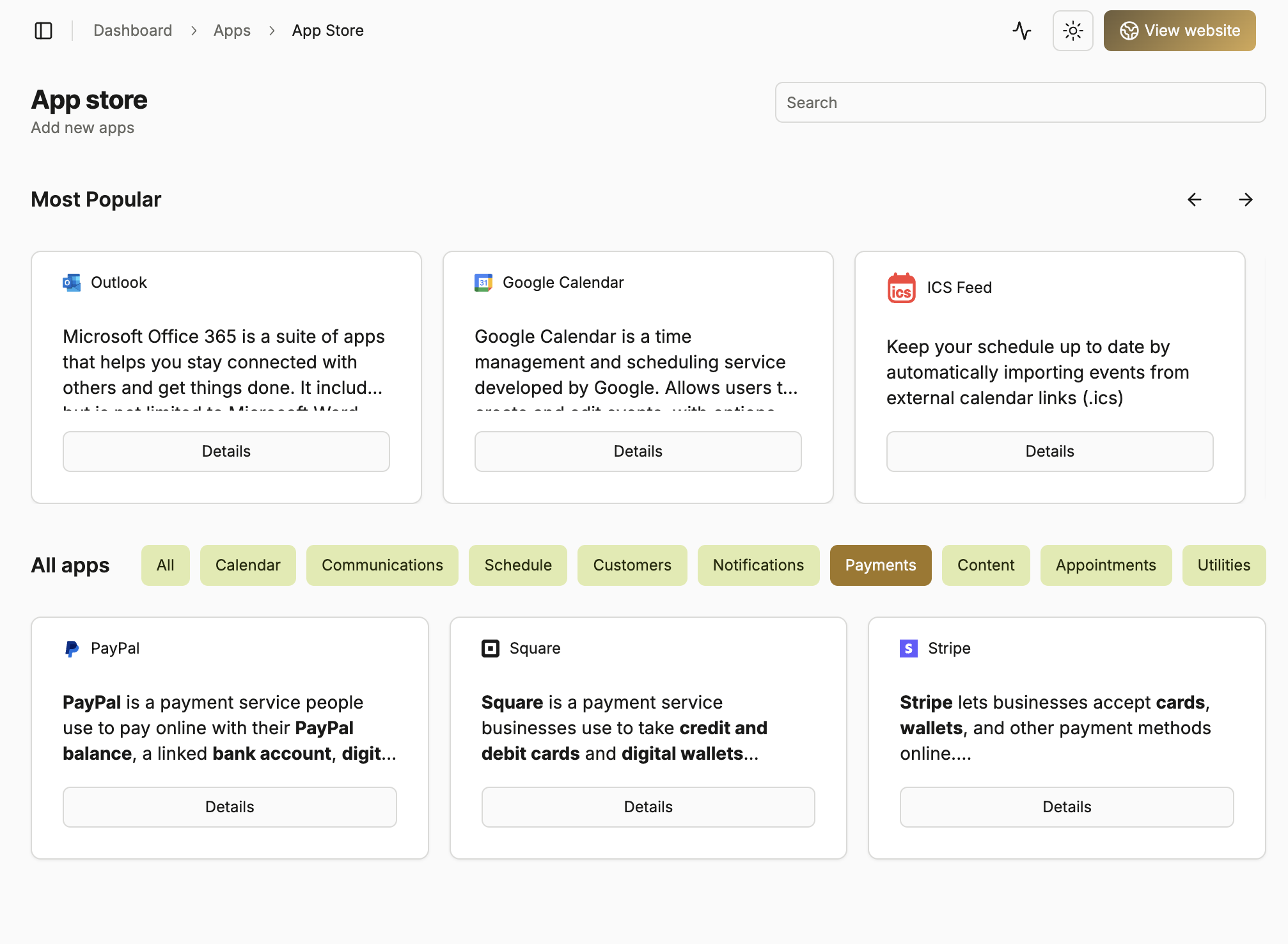
Connecting Stripe or Square takes about two minutes. Click "Connect Stripe" or "Connect Square" in your payment settings, log in to your existing account (or create a new one), and confirm the connection. You are sent straight back to Timeli.sh and your booking page is immediately ready to collect deposits. No codes to copy, no settings to configure manually.
Connecting PayPal works a little differently right now. While we are actively working on making PayPal as simple as the one-click connection you get with Stripe and Square, the current setup requires entering a few credentials from your PayPal account manually. It is manageable with our step-by-step guide, and our support team is happy to walk you through it. Fully simplified PayPal connection is on its way.
Which One Should You Choose?
For most salons and in-person service businesses on Timeli.sh, Square is the recommendation we start with. The combination of competitive in-person rates, a wide range of hardware, and a POS system designed for exactly this kind of business makes it the natural fit. Your deposits land cleanly from online bookings, and collecting the balance at the appointment through Square hardware is frictionless for both you and your client.
Stripe is worth considering if you run a high booking volume online and want the deposit checkout experience to feel especially polished. It is slightly less hardware-rich than Square for front-desk setups, but the online checkout experience is exceptional.
PayPal makes sense if your client base tends to prefer it or if you want the option for clients to pay from a PayPal or Venmo balance, which can reduce friction for certain audiences.
The most important thing is that you are not locked in. If you start with one and decide the other fits better, switching takes a few minutes and does not disrupt anything.
Ready to connect your payment processor? Log into Timeli.sh and head to payment settings to get started.
Start your free trial at Timeli.sh
Questions about which processor fits your business? Reach out to our support team.
No comments yet. Be the first to comment.